
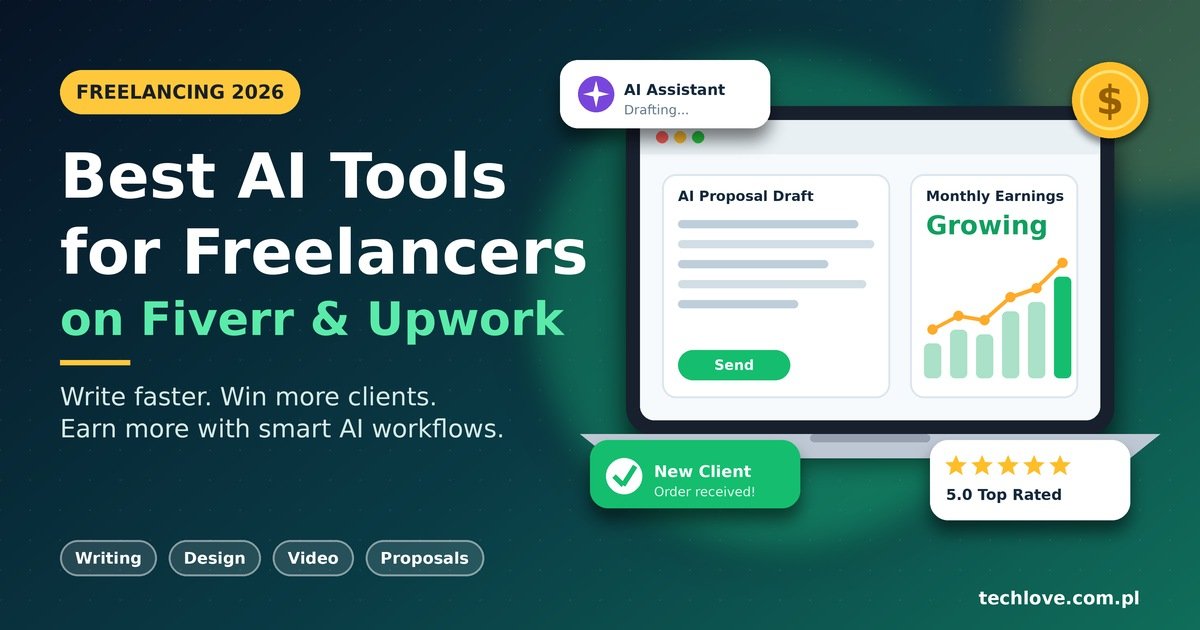
A few years ago, freelancers worried that AI would take their jobs. In 2026, the real story is different: freelancers who use AI well are finishing work faster, winning more clients, and charging better rates. Freelancing with AI is no longer a trick. It is simply how smart people work.
But there is a catch. Clients can spot lazy, copy-pasted AI output from a mile away. The winners are not the people who use the most tools. They are the ones who pick the right tools and add their own experience on top.
In this guide, I will walk you through the best AI tools for freelancers, how to use them on Fiverr and Upwork, and how to stay human in a world full of machine-made content.
Why AI Matters for Freelancers in 2026
The freelance marketplace is more crowded than ever. Buyers see hundreds of profiles, and many look the same. AI productivity tools help you save time on boring tasks so you can spend more energy on quality and communication.
Two big trends are shaping how freelancers get found and hired this year.
Human-Written Content and E-E-A-T
Google keeps rewarding content that shows real Experience, Expertise, Authoritativeness, and Trustworthiness (E-E-A-T). The same idea applies to your gigs and proposals. Buyers trust specific stories, real results, and a clear voice. Use AI for drafts and structure, then rewrite in your own words.
AI Overviews, GEO, and Zero-Click Searches
Many searches now end without a click because AI Overviews answer the question right on the results page. This is why Generative Engine Optimization (GEO) matters. If you run a portfolio site or blog, write clear, direct answers, use headings, and add real author details so AI systems can quote you. For marketplace sellers, the lesson is the same: be clear, be specific, and be easy to understand in the first two lines.

Best AI Tools for Fiverr Sellers
If you are looking for AI tools for Fiverr sellers, think in three areas: writing, design, and video. Here are the ones worth your time.
Writing and Gig Copy
- ChatGPT or Claude: Great for brainstorming gig titles, drafting descriptions, and answering buyer messages quickly. Each works as a flexible AI writing assistant.
- Grammarly: Catches grammar and tone problems so your messages look polished.
Design and Visuals
- Canva (with its AI features): Perfect for gig thumbnails, social posts, and simple brand kits.
- Adobe Firefly or similar image generators: Useful for concept art and mockups. Always check licensing rules before delivering to clients.
Video and Audio
- CapCut: Fast editing, captions, and templates for short videos.
- Descript: Edits audio and video by editing text, which is a big time saver.
Quick Fiverr Gig Optimization Checklist
Fiverr gig optimization is mostly about clarity. Try this:
- Put your main keyword in the gig title, such as “I will write SEO blog posts.”
- Use AI to draft three title options, then pick the most natural one.
- Explain the result the buyer gets, not just the service.
- Add three to five FAQs that answer real buyer worries.
- Update your gig images every few months.
AI Tools for Upwork Freelancers
Upwork works differently. Clients post jobs, and you compete with proposals. That makes your profile and your writing the most important assets. These AI tools for Upwork freelancers can help.
- ChatGPT or Claude for proposal drafts and profile rewriting.
- Notion AI for organizing client notes, project plans, and templates.
- Otter.ai for transcribing client calls and pulling out action items.
- Loom for quick video introductions that make you stand out.
Upwork Profile Tips
Strong Upwork profile tips are simple. Write a headline that says exactly what you do. Open your overview with the client’s problem, not your life story. Show two or three portfolio pieces with results. Then ask AI to tighten the wording, but keep your real achievements.
How to Use AI to Write Upwork Proposals
This is the question I hear most. Here is a beginner-friendly process:
- Read the job post twice. Highlight the client’s main problem and any special instructions.
- Give AI context. Paste the job description and a short summary of your experience.
- Ask for a short draft. Request a friendly proposal under 150 words with a clear opening line.
- Add a personal detail. Mention a similar project you completed or a specific idea for their job.
- Edit and send. Remove robotic phrases, fix the tone, and end with one simple question.
For example, if a client needs a product description writer, do not open with “I am a highly motivated professional.” Open with something like: “I noticed your store sells handmade candles, and I would love to write descriptions that make the scent feel real.” That one line does more than any template.
AI Tools for Freelance Writers
Writers have a special challenge, because clients want originality. The best AI tools for freelance writers support your process instead of replacing it.
- Research: Use AI to summarize long articles, then verify facts from the original sources.
- Outlines: Ask for three possible structures, then build your own.
- Editing: Run drafts through Grammarly or Hemingway-style checkers.
- SEO support: Use keyword tools to find questions readers actually ask.
Always add your own examples, opinions, and lessons learned. That is what makes content human and what builds E-E-A-T. Never submit raw AI output as finished work.
Comparison Table: Best AI Tools for Freelancers 2026
| Tool | Best For | Works Well On | Skill Level | Free Plan |
|---|---|---|---|---|
| ChatGPT / Claude | Writing, ideas, proposals | Fiverr and Upwork | Beginner | Yes |
| Grammarly | Editing and tone | Both | Beginner | Yes |
| Canva | Gig images, social posts | Fiverr | Beginner | Yes |
| CapCut | Short video editing | Fiverr | Beginner | Yes |
| Descript | Audio and video editing | Both | Intermediate | Limited |
| Notion AI | Project organization | Upwork | Beginner | Limited |
| Otter.ai | Call transcripts | Upwork | Beginner | Limited |
Free plans and features change often, so check each tool’s website before you commit.
Pros and Cons of Freelancing with AI
Pros
- Saves hours on drafts, editing, and admin work
- Helps you respond to clients faster
- Lowers the cost of getting started
- Makes it easier to offer new services
Cons
- Output can sound generic or contain mistakes
- Over-reliance can weaken your own skills
- Some clients ban or limit AI use, so always read the rules
- Everyone has access to the same tools, so quality becomes the real difference
Practical Tips to Stay Ahead
- Be transparent. If a client asks about AI use, answer honestly.
- Protect client data. Do not paste private or confidential information into public AI tools.
- Focus on user experience. Make your gig pages and portfolio easy to scan, fast to load, and mobile-friendly.
- Build a personal brand. A simple website with real case studies supports trust and shows up in AI-driven search.
- Keep learning. Test one new tool a month, and keep only what truly helps.
Frequently Asked Questions
1. What are the best AI tools for freelancers in 2026? ChatGPT, Claude, Grammarly, Canva, CapCut, Notion AI, and Otter.ai are strong, beginner-friendly choices.
2. Is it allowed to use AI on Fiverr and Upwork? Generally yes, but rules vary and change. Read each platform’s current policy and any client instructions.
3. Can AI write my entire Upwork proposal? It can draft one, but you should personalize it. Generic proposals rarely win.
4. Which AI tools are best for Fiverr sellers who are just starting? Start with an AI writing assistant, Canva for visuals, and Grammarly for editing.
5. Will clients know if I used AI? Often they can tell when writing sounds flat or repetitive. Editing and adding real details solves most of that.
6. Are free AI tools good enough? For beginners, yes. Upgrade only when a paid feature clearly saves you money or time.
7. How do AI tools help freelance writers? They help with research, outlines, and editing. The final voice and fact-checking should stay human.
8. Does AI-generated content rank on Google? Google focuses on helpfulness and quality, not just how content was made. Original insight and real experience matter most.
9. What is GEO, and do freelancers need it? GEO means optimizing content so AI search tools can understand and quote it. It helps if you run a blog or portfolio.
10. Will AI replace freelancers? It will replace some repetitive tasks. Freelancers who bring judgment, creativity, and trust remain in demand.